Most buyers compare LED displays on price per square metre. That number covers roughly the first twelve months. Electricity, module replacement, on-site labour and downtime keep running for the next eight to ten years — and in a typical commercial installation, they add up to more than the screen itself.
The good news is that LED screen maintenance costs are not fixed. Roughly 70% of them are decided before the screen is even shipped: by the specification you approve, the brightness profile you run, and whether the modules can be serviced from the front. The remaining 30% is decided by how you maintain it afterwards.
This guide covers the five levers that make the biggest difference, in the order they should be applied — specification first, operation second, maintenance last.
The short answer: five ways to cut LED display maintenance costs
- Specify for the environment — match IP rating, brightness and cooling to the actual site, not to the cheapest quotation.
- Schedule brightness instead of running full power — most screens burn 40–60% of their electricity on brightness nobody is looking at.
- Run preventive maintenance on a calendar — dust, heat and loose connectors cause most failures, and all three are cheap to catch early.
- Monitor remotely — replace truck rolls with alerts on temperature, power supply and signal.
- Repair at module level — a front-service module costs a fraction of a screen replacement, and takes minutes, not days.
Where LED screen maintenance costs actually come from
Before choosing a lever, it helps to know which costs are large. The table below shows the typical split of an eight-year total cost of ownership for a commercial or outdoor LED installation.
| Cost driver | Typical share of 8-year TCO | What actually controls it |
| Electricity | 20–35% | Brightness settings, driver efficiency, content (white backgrounds draw the most) |
| Modules and spare parts | 15–25% | Pixel pitch, spare ratio held locally, batch consistency |
| On-site labour and travel | 20–30% | Front vs rear service access, remote diagnostics |
| Downtime and lost airtime | 10–20% | Response time, local spare stock |
| Cleaning and structure | 5–10% | IP rating, access design, coastal exposure |
Indicative ranges for commercial and outdoor installations. Actual shares vary with climate, duty cycle and service model.
1. Specify for the environment, not for the price list
Most “quality problems” in year three were specification mistakes in year one. An indoor module specified for an outdoor wall does not fail because it was badly built — it fails because water got in where water was never supposed to reach.
The first question is not “which is cheapest” but “where will it be used, and for how many hours a day?”
| Environment | What actually fails | What to specify |
| Indoor meeting room | Heat build-up in a closed cabinet, over-brightness, moiré on camera | 300–600 nits, low-brightness grayscale, front-service modules |
| Retail window / mall atrium | Glare and reflection, 12–16 h daily duty | Higher brightness with anti-glare treatment, 24/7-rated power supplies |
| Outdoor billboard | Water ingress, UV yellowing, wind load on the structure | IP65 or better at cabinet level, UV-resistant mask, structural calculation |
| Coastal or industrial site | Salt mist, sulphur corrosion, dust film on the PCB | Conformal coating, IP66, corrosion-treated cabinet, sealed connectors |
| Rental / touring | Connector wear, handling damage, alignment drift after rebuilds | Die-cast frame, quick-lock, rated for 200+ strike-and-rebuild cycles |
One detail matters more than any other on this list: cabinet-level IP rating, not module-level. A module rated IP65 inside a cabinet that is not sealed simply traps moisture against the electronics. Ask for the test report on the assembled cabinet.
The cheapest screen is rarely the cheapest installation. The right one is the one whose failure rate in year three is low enough that you never have to think about it.
2. Cut LED display power consumption: stop paying for brightness nobody is looking at
LED displays do not need to run at full output all day. Power consumption scales broadly with brightness, so the single largest and fastest saving on any existing screen is a brightness schedule.
What to set, in order of payback
- Ambient-light dimming. A light sensor on the cabinet adjusts output to the surroundings: full power at noon, 30–50% after dusk. On an outdoor screen running 18 hours a day, this alone is usually the biggest single saving.
- Time-based scheduling. Full brightness during trading hours, reduced in the evening, display off outside operating hours. A screen that sleeps for eight hours a night does not just save electricity — it adds years to the power supplies.
- Zone dimming. On large walls, sections facing an empty concourse or a closed shopfront can run at low output or off, while the traffic-facing area stays at full brightness.
- Content choice. White backgrounds draw the most power of any creative. A dark-background layout at the same perceived brightness can cut consumption substantially — and it usually looks better on camera too.
The principle is not to make the screen work less, but to make it work when it matters: bright when it needs to be seen, dim when nobody is there, resting when the venue is closed.
3. Make LED display preventive maintenance a calendar task, not a reaction
Most owners ignore an LED screen until it goes black. By then, a loose ribbon cable or a blocked air path has usually become a burnt power supply or a dead column of modules.
Heat is the main mechanism. As a rule of thumb, every 10 °C rise in operating temperature roughly halves the useful life of an LED, and dust on a heatsink is the easiest way to add those degrees.
| Cycle | Task | Why it pays |
| Weekly | Visual check, dead-pixel count, brightness uniformity | Catches a failing module while it is one module, not one column |
| Monthly | Dust removal from air path and cabinet fans; check connectors and cable ties | Dust is the cheapest failure to prevent and the most common cause of overheating |
| Quarterly | Power supply output voltage, receiving card status, colour and brightness calibration drift | Prevents cascading failures from one weak PSU |
| Annually | Waterproof seal and gasket inspection, structure and torque check, firmware update, spare stock review | Seals age silently; a leak found in a scheduled visit is a gasket, a leak found in a storm is a cabinet |
Two early-warning signs justify an immediate call-out rather than waiting for the next cycle: localised flicker (usually a receiving card or ribbon cable, cheap now, expensive later) and a cabinet running noticeably hotter than its neighbours (usually a fan or PSU on its way out).
4. Remote monitoring: turn service trips into alerts
For multi-site estates, outdoor locations or screens spread across a park or a campus, the largest hidden cost is not the repair — it is the trip. A technician drives two hours to find a signal cable that was never plugged back in.
A networked control system can report, in real time:
- Cabinet temperature and humidity, with threshold alerts
- Power supply voltage and current per cabinet
- Receiving card and signal status, plus input source detection
- Brightness sensor readings and scheduled-mode confirmation
- Playback status, so a blank screen is distinguished from a content error
The operating rule is simple: diagnose from the backend first, dispatch only when the fault needs hands. On a network of a few dozen screens, this typically removes the majority of site visits, and it shortens response time from “next available technician” to “same hour”.
5. Repair LED modules, not whole screens
After four or five years, a screen usually has a handful of individual LED failures, one ageing power supply and a couple of tired modules. That is not a reason to replace the wall.
What modular repair requires
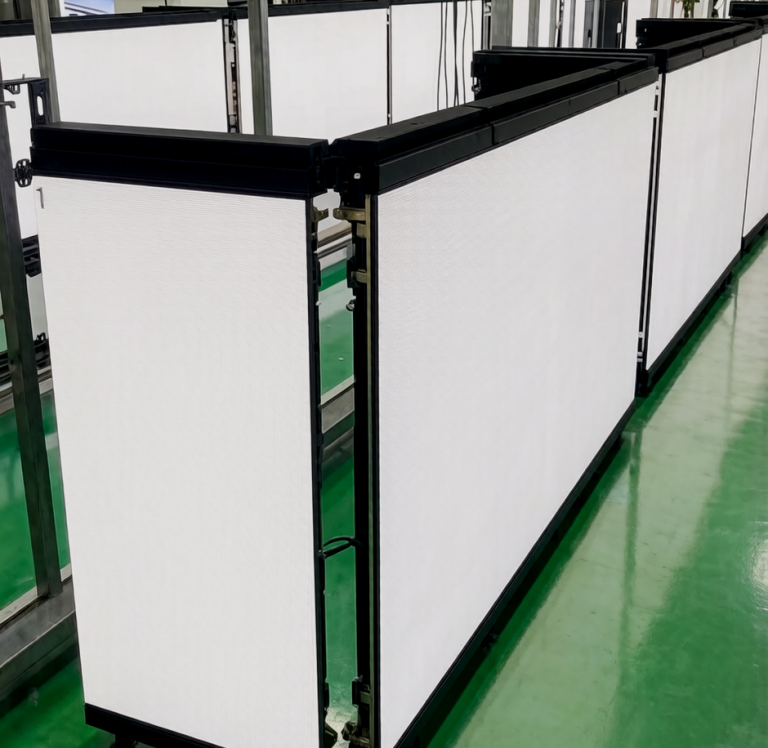
- Front-service modules. Magnetic or screw-fixed modules removable from the front, without dismantling the cabinet or scaffolding the wall. A single module is a five-minute swap; a rear-service wall in a tight installation can be a half-day job with access equipment.
- Spares held in the same batch. LED bins differ between production runs. Modules from a different batch will show a visible seam unless the wall is recalibrated — so hold 3–5% spares from the original run, not “equivalent” stock ordered later.
- Calibration after replacement. Brightness and chromaticity calibration at the cabinet level, plus low-grey consistency, otherwise the repaired area reads as a patch.
- Line-item spares. Power supplies, receiving cards, hub boards and ribbon cables should be purchasable individually, for at least five years after delivery.
For public and high-touch spaces, the module technology also matters. COB (chip-on-board) modules are more resistant to impact, moisture and static than conventional SMD, which is why they return fewer failures in lobbies, museums and transport hubs — even though the upfront price per square metre is higher.
Specification checklist before you order
Eight questions that decide most of your future maintenance bill. Ask them before signing, and ask for the answers in writing.
- Are the modules front-serviceable, and what is the documented swap time?
- What is the IP rating of the assembled cabinet, and is there a test report?
- What spare ratio do you recommend, and will the spares come from the same production batch?
- Which components are consumables, and what do they cost individually?
- How many years of spare-part availability are guaranteed after delivery?
- Is remote monitoring built in, or an optional extra — and does it need a subscription?
- Does the warranty cover parts only, or parts and labour, and what is the response SLA?
- What is the rated operating temperature range, and the measured cabinet temperature at full brightness?
Frequently asked questions
How much does LED screen maintenance cost per year?
For a well-specified commercial installation, budget roughly 3–5% of the purchase price per year, covering cleaning, occasional module replacement and calibration. Outdoor and coastal sites, or screens running 18+ hours a day, typically sit at the upper end or above. If a quotation implies near-zero maintenance, the cost has usually just been moved into a shorter replacement cycle.
Is it cheaper to repair or replace a faulty LED module?
Repair, almost always. A single module is a small fraction of the cost of a screen, and a front-service module takes minutes to swap. Replacement only makes sense when the failure rate across the wall is high enough that spares and labour exceed the cost of a new installation — usually beyond Year 8, or after physical damage to the structure.
How often should an LED display be serviced?
Monthly dust and connector checks, quarterly electrical and calibration checks, and a full annual inspection including seals, structure and firmware. High-dust, high-humidity or coastal environments should halve those intervals.
Do LED screens use a lot of electricity?
It depends almost entirely on brightness and content, not on screen size alone. An indoor screen at 400 nits draws a small fraction of an outdoor billboard at 6,000 nits. Two identical outdoor screens can differ by 30–40% in annual consumption purely because of their brightness schedule and creative design.
Can a dead pixel be fixed?
On fine-pitch indoor screens, individual lamp repair is not practical — the module is replaced instead, which is why front-service access and same-batch spares matter more than any repair technique. On larger-pitch outdoor screens, single-lamp replacement is possible but usually not worth it compared with a module swap.
What is the realistic lifespan of an LED display?
Manufacturers quote figures such as 100,000 hours to 50% brightness, but those are laboratory values at controlled temperature. In real installations running 12–16 hours a day, plan on 8–10 years of serviceable life, with module replacement from Year 5 onwards. Heat, humidity and dust move that number more than the chip brand does.
Conclusion
High maintenance costs on LED screens are rarely caused by bad luck. They come from a specification that did not match the site, a brightness setting nobody adjusted, and a maintenance plan that only starts when something breaks.
Fix those three things and the arithmetic changes: less power, fewer failures, fewer site visits, and a screen that can be repaired a module at a time instead of replaced.
Planning a project and want the numbers before you commit?
Contact Astrev Display for a free layout consultation and factory-direct quotation — we manufactures flexible LED displays and custom-shaped LED displays for curved walls, columns and ceilings, transparent LED screens up to 95% see-through for glass partitions, all-in-one displays from 108″ to 216″ for VIP rooms, and rental panels in 500×500 and 1000×500 mm at 8.5 kg for temporary activations—with OEM/ODM support from our Shenzhen factory. Send us your drawings and the tightest radius on the plan; we will confirm the module, pitch and mounting method.